
You can download the full release notes as a PDF above for detailed information on all updates and fixes included in this version.
If there are any post-install steps required, they will be listed below.
You can download the full release notes as a PDF above for detailed information on all updates and fixes included in this version.
If there are any post-install steps required, they will be listed below.
Head to Maica Settings > Service Management > re-save Appointment/Shift settings.
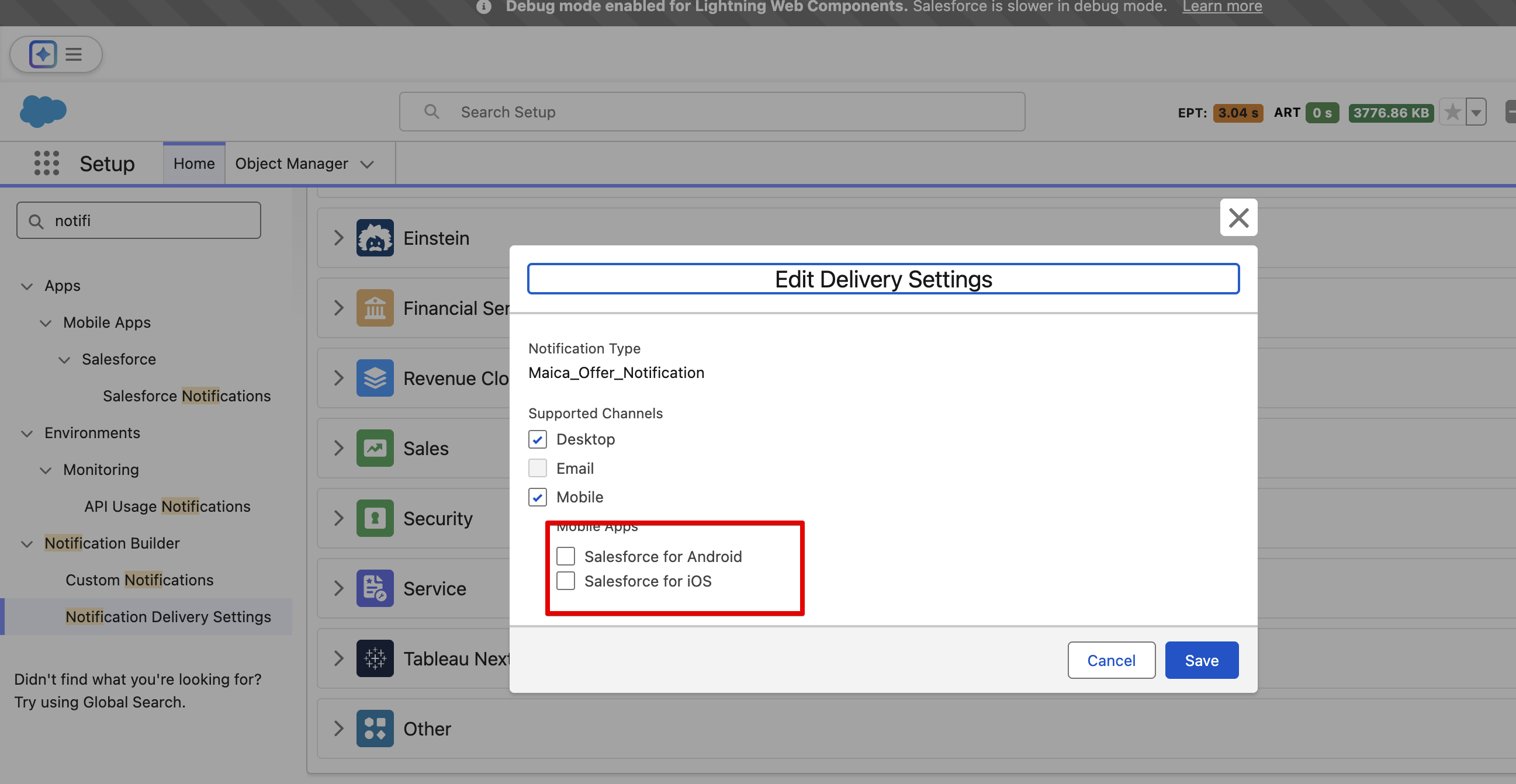
Optional: if push-notifications on mobile are needed for broadcasting make sure corresponding configuration is ON in the org (see attached picture)
As part of this release, updated picklist dependencies have been introduced to ensure Support at Home claiming behaves correctly across Invoices and Support Items. After installing the release, administrators should verify that the following dependencies are present and configured as expected.
Object: Invoice
Controlling Field: Funding Type
Dependent Field: Claim Behaviour
When Funding Type = Support at Home, confirm that the following values are available in the Claim Behaviour picklist:
This ensures invoices created under Support at Home funding expose the correct claiming options.
Object: Support Item (Product)
Controlling Field: Funding Source
When Funding Source = Support at Home, confirm the following values are available:
When Funding Source = Support at Home, confirm the following values are available:
These dependencies ensure Support Items created for Support at Home funding can be configured and billed correctly.

